
Fast Video Downloader & Player
Category ToolsApp screenshots
About Fast Video Downloader & Player
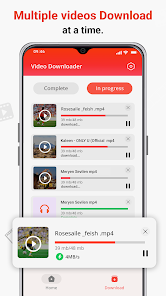
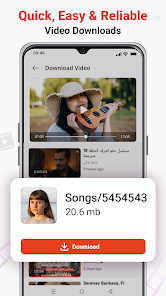
Easily download and manage your favorite videos with our downloader app. This Video downloader free app supports multiple formats videos and social media clips. Easy to Use Fast Video Downloader auto detects videos and fast save with one click.
Now Saving videos from internet is simpler than ever with this fast Media downloader & player app. With the help of this background downloader and video player, you can quickly grab videos in multiple video formats. This fast video saver enables you download online videos in high resolution. By its advanced technology, downloading several long videos has become faster than ever with this all-in-one video downloader HD.
If you're looking for video, you really need to try this download video app. Its powerful features video downloading and player will offer quick hd downloads. Use full-featured download manager to pause, resume and remove downloads.
Key features of Fast Video Downloader & Player app:
☆ Video downloader manager to View and track all your downloaded videos conveniently.
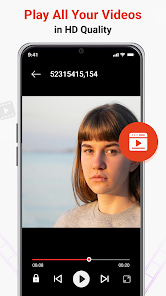
☆ Play videos offline with the built-in video player
☆ Easily save videos from publicly available social media with Media downloader app.
☆ Download several files at the same time.
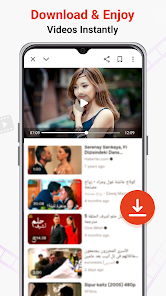
☆ Fast download hd videos with just one click from publicly available content.
☆ Video Saver App auto detects videos and fast download with one click.
How To Use HD Video Saver:
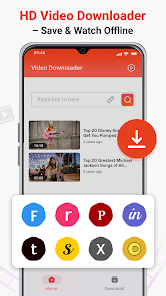
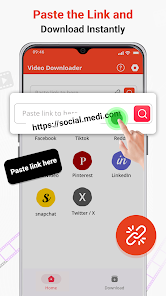
Just paste the video or movie link you wish to download in this free video downloader, and within seconds your video will be saved, then you can play it with advanced video player. Depending on video length and network speed, the app completes downloads quickly. This lightweight downloader allows you to store videos and watch them offline with ease.
All formats video downloader hd is created for users who prefer downloading videos beforehand to avoid buffering. Need a quick download while taking a short break? This fast URL downloader is exactly what you need.
Video Saver hd allows you to download videos from supported platforms or publicly available social media pages. Just paste the copied link, and downloads hd videos quickly. Watch all your favorite clips offline whenever you want.
Disclaimer:
YouTube downloads are not supported, as per Google policy.
We have no connection with Facebook, Instagram, TikTok, or any other social media platforms.
Please review and follow intellectual property rules before downloading or using shared media.
Download from the official store

You May Like
Questions & Answers
Q1 Why don't you provide direct APK file downloads?
To ensure your device's security and data privacy, we strictly adhere to official distribution policies and only direct you to Google Play and the App Store. Official stores automatically match your device model, OS version, and region, delivering the most stable, untampered legitimate apps, while avoiding potential malware or malicious code that third-party files might carry.
Q2 What are the benefits of downloading from Google Play / the App Store?
✅ Automatic updates - When a new version is released, the store pushes it to you automatically - no need to manually hunt for installation packages.
✅ Security scanning - Both stores rigorously review uploaded apps for viruses, trojans, and excessive permission requests.
✅ Legal compliance - They comply with regional software distribution regulations, reducing issues with copyright or geographic restrictions.
✅ Easy and fast - One-click install, no need to enable Install from unknown sources manually.
Q3 What if my phone doesn't have Google Play or the App Store?
Android users: Most legitimate Android devices come with Google Play. If you cannot access it due to network issues, we recommend using your device's official built-in app market (e.g., Huawei AppGallery, Xiaomi GetApps, Samsung Galaxy Store) to download the app - these also have security review mechanisms.
Apple users: The App Store is the only official distribution channel for iOS. Please do not install enterprise-signed or jailbroken versions via third-party tools, as this may void your warranty and compromise your privacy.
Q4 Is there any difference between an app downloaded from an official store and an APK package?
The core content is identical, but the official store delivers an installation package optimized for your specific device (e.g., split ABIs, screen resolution), resulting in a smaller size and smoother performance. Generic APK packages may contain redundant files or even be injected with ad or tracking SDKs. We strongly recommend using the store version whenever possible.
Q5 After I jump to the store, if I see multiple apps with the same name, how do I choose the genuine one?
The link we provide points directly to the official developer's page, so clicking it will take you straight to the authentic app - you just need to tap Install without searching manually.
If you do search by yourself and encounter similar names, always check:
① Whether the developer name matches the official one (e.g., Google LLC or the app's owning company);
② Whether the icon is clear and the description professional;
③ Whether the download count, ratings, and reviews are reasonable (genuine apps typically have hundreds of thousands or more installs).
The safest approach: always use the Go to Official Download button on our page - never search for similar names in the store to avoid fake or ad-ridden copies. We only direct you to official links, saving you the hassle of identification.
